> For the complete documentation index, see [llms.txt](https://docs.riskprotocol.io/llms.txt). Markdown versions of documentation pages are available by appending `.md` to page URLs; this page is available as [Markdown](https://docs.riskprotocol.io/protocol-papers-and-user-guides/dapp-user-guide.md).
# dApp User Guide
Walkthrough: From BTC to RiskON/RiskOFF and Back
This is a dApp walkthrough that takes you from holding plain BTC to experiencing the full “SMART Token” flow on The Risk Protocol ("TRP"), and then back again. You will see how to claim test BTC, split it into RiskON BTC and RiskOFF BTC, lean into protection when you wish, earn LP fees by supporting the DEX, and finally redeem your SMART tokens back into BTC.
{% hint style="info" %}
The flow is the same for ETH as well.
{% endhint %}
{% hint style="info" %}
To interact with the TRP Testnet, you will need ETH on Arbitrum Sepolia to pay gas fees. It is free: claim Sepolia ETH from a faucet and move it across with the official Arbitrum Bridge—relevant details can be found in the [Getting Started](https://docs.riskprotocol.io/overview/getting-started) section.
{% endhint %}
Follow the steps on the testnet first to get comfortable with the mechanics before committing real capital. Once you have gone through this loop once or twice, the logic behind TRP's design becomes very natural.
## **1. Landing on the Homepage**
You begin on The Risk Protocol homepage. This is where you get the high-level idea: TRP lets you choose how much risk you actually want to hold, by splitting one BTC position into two SMART tokens—RiskON BTC for more levered exposure, and RiskOFF BTC for buffered downside. When you’re ready to make your first trade, click **“Launch dApp”**.
## **2. Launching the dApp and Connecting Wallet**
You can use WalletConnect to access The Risk Protocol via 500+ wallets of your choice.
We support a wide variety of wallets. In this walkthrough, we continue with MetaMask, one of the most popular browser wallets, but you can use any supported wallet you are comfortable with. When the connection prompt appears, approve it, and ensure you are on the correct network (Arbitrum Sepolia).
## 3. Getting Test ETH for Gas
Before you can transact, you will need a small amount of test ETH to pay gas fees on Arbitrum Sepolia, where the TRP Testnet runs. Getting it takes two short steps, and both are free. First, claim Sepolia ETH on Ethereum Sepolia: several public faucets can send it to you, and one popular option is the Sepolia faucet hosted by [Google](https://cloud.google.com/application/web3/faucet/ethereum/sepolia). Choose **Ethereum Sepolia** as the network, paste in your wallet address, and request funds. Within a few seconds, you should see the test ETH balance appear in your wallet.
Choose **Ethereum Sepolia** as the network, paste in your wallet address, and request funds. Within a few seconds, you should see the test ETH balance appear in your wallet. Bridge it to Arbitrum via [Arbitrum's official bridge](https://bridge.arbitrum.io/). Now you are all set to start transacting on Sepolia, and we can move on to getting test BTC in the [TRP dApp](https://app.riskprotocol.io).
## 4. Getting Test BTC from the Faucet
Now that you have ETH for gas, you need some test BTC to experience how The Risk Protocol works end-to-end. Inside the TRP dApp, you can request Test Funds (BTC or ETH) directly from the interface. You can get Test Funds (BTC) from the wallet button's drop-down menu. This test BTC is what you will split into RiskON BTC and RiskOFF BTC in the next step.
Confirm the transaction.
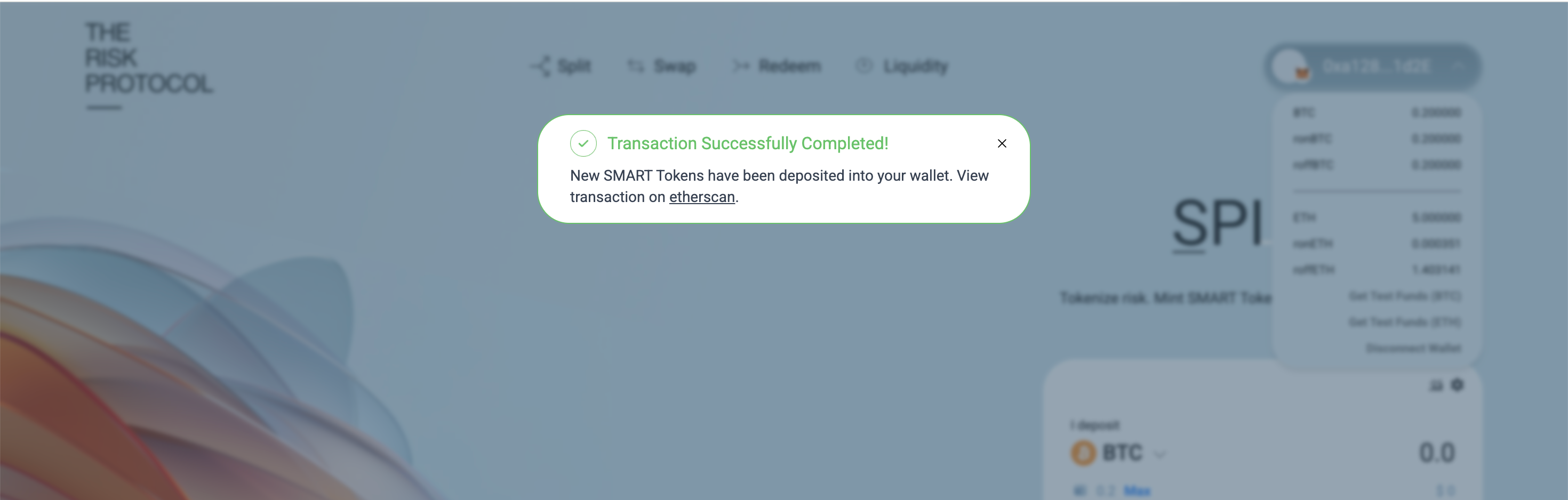
Transaction Successfully Completed.
## 5. Splitting BTC into RiskON BTC and RiskOFF BTC
With test BTC in your wallet, you are ready to perform the core TRP action: **splitting** BTC into RiskON BTC and RiskOFF BTC.
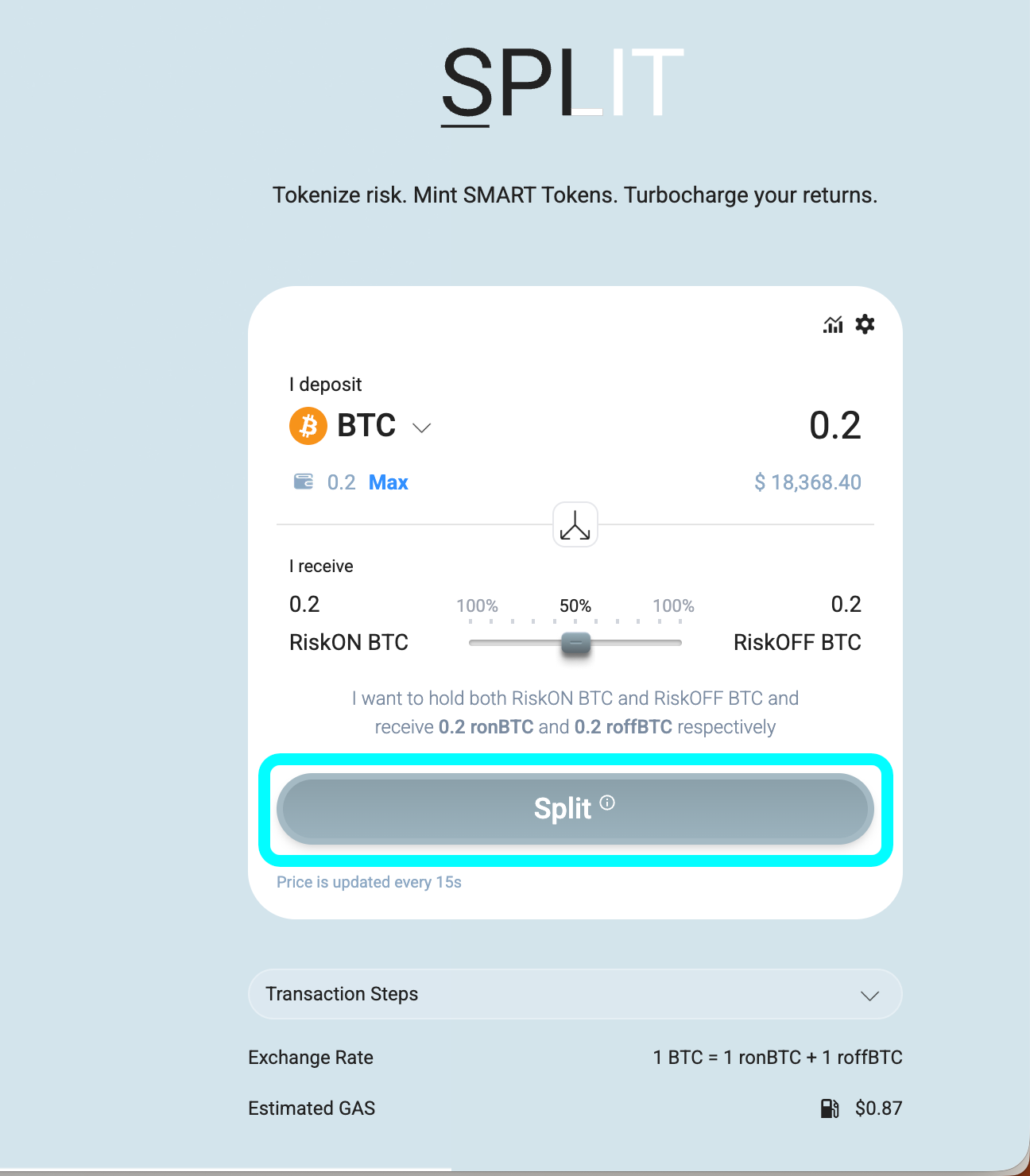
Navigate to the “**Split**” screen. Here you can choose how much BTC you want to convert into SMART tokens and how you want to allocate between RiskON and RiskOFF. In this example, we are splitting a 0.2 BTC test allocation, selecting a 50% / 50% split. That means half of the risk is allocated to RiskON BTC and half to RiskOFF BTC. You could choose a different percentage if you want.
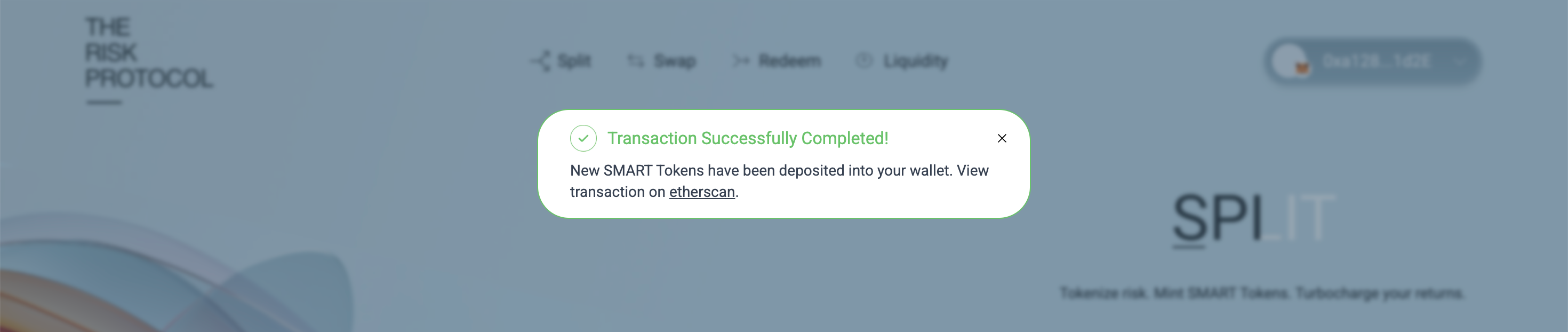
When you are satisfied with the amounts, click **“Split”** and confirm the transaction in your wallet. Once it settles, your BTC balance goes down by the amount you deposited, and you now hold both **RiskON BTC** and **RiskOFF BTC** in your wallet. You have just turned a single, blunt BTC exposure into two structured positions that treat upside and downside very differently.
{% hint style="info" %}
Over time, we expect users to arrive with a clear preference for which side of the structure they want—RiskON or RiskOFF. To make this easy, the dApp also lets you complete this step in one go. If you move the slider to 100% RiskON or 100% RiskOFF, the interface will show a “Split & Swap” path instead of a plain split. In a single transaction, our smart contracts mint both SMART tokens and then automatically swap everything into your chosen side at the current rate. On the surface, you only make one click and receive exactly what you wanted—for example, ending up entirely in RiskOFF BTC as shown in the example—while all the intermediate steps are handled for you in the background.
{% endhint %}
Here is how you can execute Split & Swap in one go.
## 6. Swapping RiskON BTC for RiskOFF BTC
After the split, you will see balances for both RiskON BTC (ronBTC) and RiskOFF BTC (roffBTC). From here, you can adjust your exposure based on your market view.
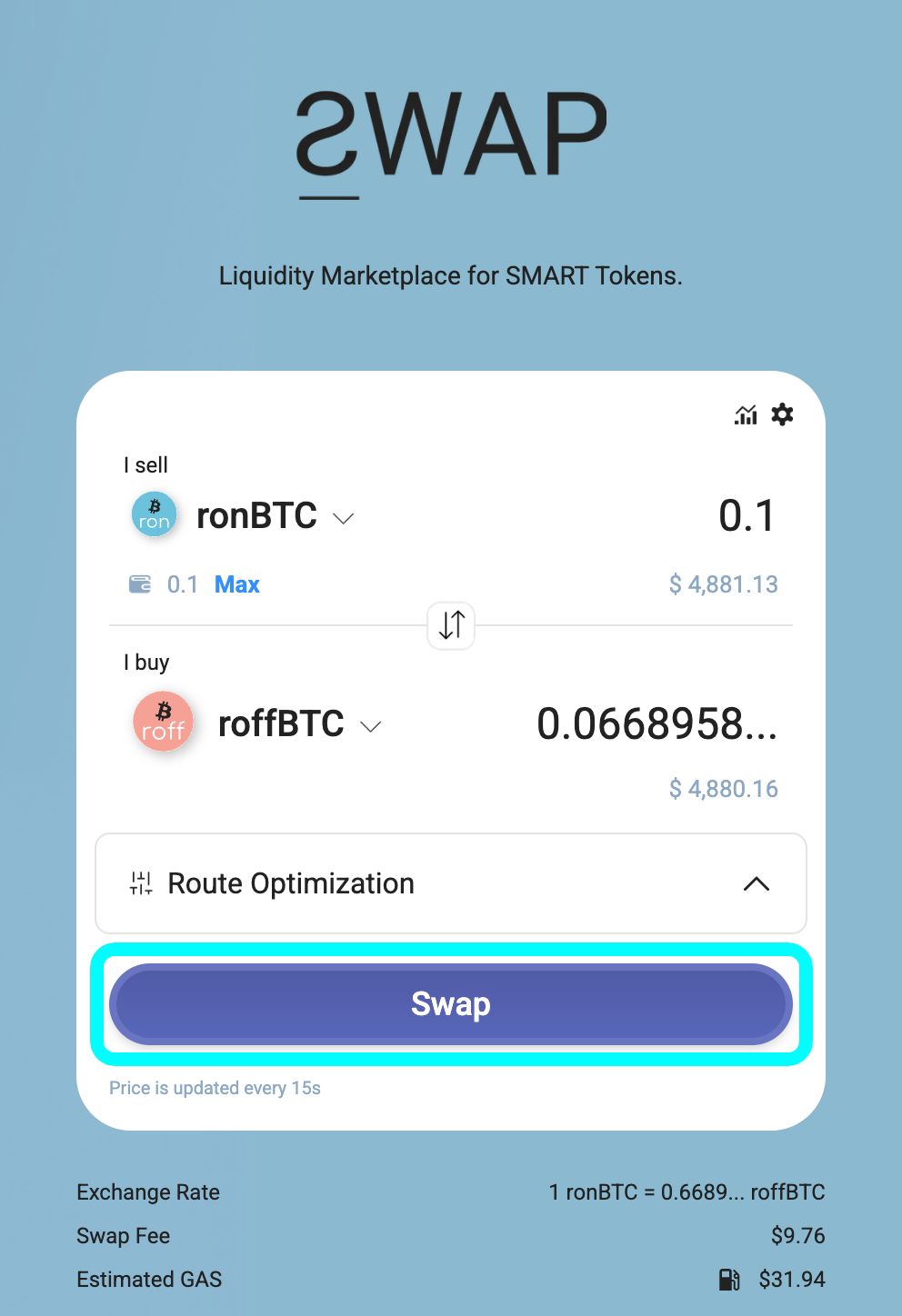
If you did a plain Split in the previous step and now decide you want more protection, you can swap some or all of your RiskON BTC into extra RiskOFF BTC. Go to the **“Swap”** section, set the **“Sell”** token to ronBTC and the **“Buy”** token to roffBTC, then enter the amount of RiskON BTC you wish to convert. The interface will show you how much RiskOFF BTC you are expected to receive and the route used to execute the trade. Click **“Swap”**, confirm the transaction, and once it has been mined, your wallet balances in the dApp will update accordingly.
If, however, you already know your desired stance in advance (for example, you want to be fully in RiskOFF BTC for this epoch), you can often achieve the same result more directly via the **“Split & Swap”** path described earlier. In that case, you select 100% RiskON or 100% RiskOFF on the Split screen and let the contracts handle the minting and swap in a single flow, rather than splitting first and swapping afterward.
You can move between RiskON and RiskOFF as often as you wish over the life of an epoch. Whether you choose a separate Split followed by Swap, or a single Split & Swap, the idea is the same: adjust your BTC exposure so it matches your current view of the market.
## 7. Adding Liquidity
Beyond holding SMART tokens, you can also support the protocol’s markets and earn fees by adding liquidity, similar to what you might do on Uniswap, Curve, or Balancer. Liquidity providers help make trading smoother for everyone and are rewarded with liquidity provider ("LP") fees (and potentially other incentives).
To begin, go to the “**Liquidity**” section in the top navigation and click “**Add Liquidity**”. This brings up a list of available pools.
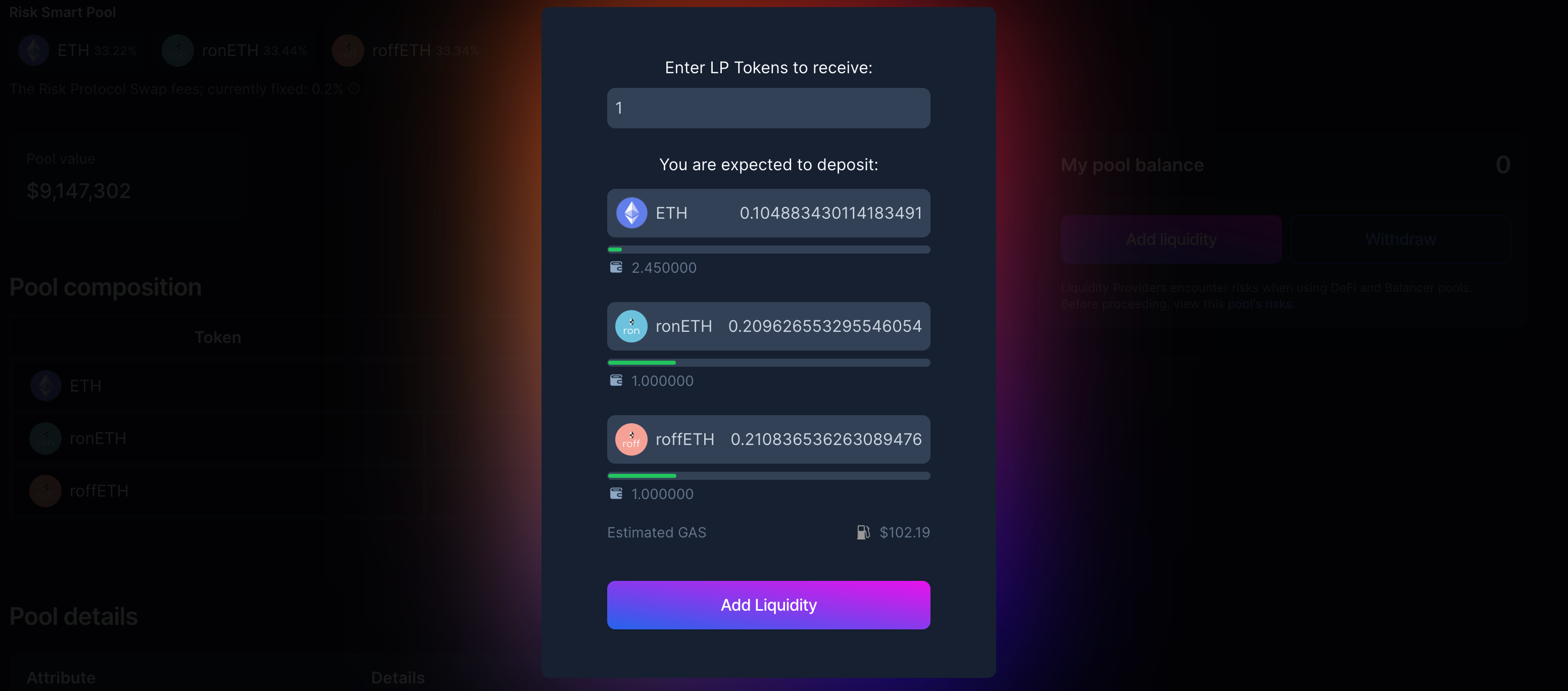
Select the pool you want to join; in this walkthrough, we choose the **ETH Pool**, which holds **ETH**, **RiskON ETH**, and **RiskOFF ETH**.
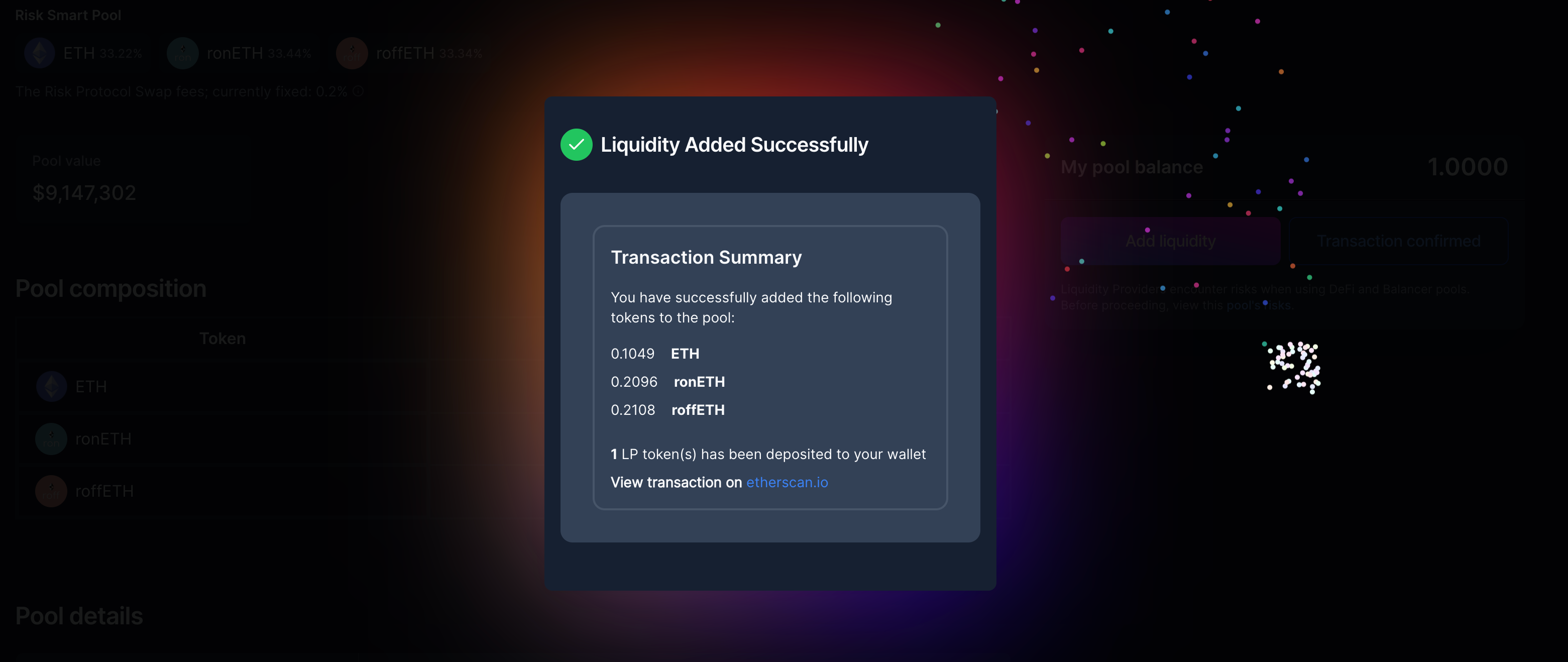
In the example shown, you choose how many LP tokens you want to mint, and the pool automatically calculates the proportional amounts of BTC or ETH, and their corresponding RiskON and RiskOFF that need to be deposited, based on the current pool balances and weights. Once you confirm and the transaction succeeds, a summary screen will confirm that your liquidity has been added and that LP tokens have been sent to your wallet.
Removing liquidity follows almost exactly the same flow. From the same pool view, click “**Withdraw**”, choose how many LP tokens to redeem, and confirm. The pool will burn your LP tokens and return the underlying assets back to your wallet, along with your share of accumulated fees.
## 8. Redeeming Collateral
You can redeem your collateral at any point and revert to holding BTC. To redeem the underlying BTC, you will need **equal amounts of RiskON BTC and RiskOFF BTC. This 1:1 equivalence is a fundamental tenet of the protocol, designed to ensure that the platform remains risk-neutral.**
When you initially select a RiskON/RiskOFF token to redeem, the dApp will automatically show you the maximum BTC you can redeem based on your holdings of the two SMART Tokens. If you have unequal amounts of the two tokens, you can either choose to redeem the maximum BTC you can based on your current holdings or use the Swap module to top up the lower-balance token until you have matching quantities. In the example here, you can see that if we want to redeem 0.1 BTC, we have sufficient balances of both tokens. Once you have a balanced pair, head to the **“Redeem”** panel. Enter how much you want to burn—for instance, 0.1 of each SMART token—and confirm the transaction. The protocol burns your 0.1 ronBTC and 0.1 roffBTC and sends **0.1 BTC** back to your wallet.
This is the final step in the loop: you began with BTC, moved through splits, swaps, and liquidity provision, and then came back to BTC with a more controlled and deliberate risk profile along the way.
## Final Thoughts
In a market where most BTC holders are forced to choose between “do nothing” and “go full degen”, The Risk Protocol offers a genuine middle path: stay in BTC, but decide how much risk you actually want to shoulder. By splitting BTC into SMART tokens like RiskON BTC and RiskOFF BTC, TRP transforms a single, blunt exposure into a more nuanced set of choices that both long-term allocators and short-term traders can dial up or down across different market regimes.
In TradFi, risk-transfer instruments quietly underpin how institutions manage trillions in exposure. TRP brings a similar philosophy on-chain for BTC and ETH and for other assets later on: clear pay-offs, epoch-based outcomes, and transparent rules that govern how upside and downside are shared between RiskON and RiskOFF. Instead of passively enduring crashes or constantly trying to time the market, BTC holders can pre-define where they want protection to kick in and how much upside they are willing to share in return.
On top of that, liquidity pools around SMART Tokens add another layer of opportunity. Users who are comfortable with the mechanics can provide liquidity and earn fees and incentives, effectively stacking yield. Traders, passive allocators, and DAO treasuries can all meet in the same venue: some seeking convex upside in RiskON, some seeking buffered downside in RiskOFF, and others farming the excess return possible by dynamically allocating across the 2 tokens as market sentiment changes.
The walkthrough you have just followed is one complete pass through this system on testnet. Once you are familiar with each step—from faucet, to split, to swap, to liquidity, to redemption—you can start to experiment with your own views, allocations, and time horizons, using The Risk Protocol as a way to remain in BTC and ETH while taking a much more intentional stance on risk.
---
# Agent Instructions
This documentation is published with GitBook. GitBook is the documentation platform designed so that both humans and AI agents can read, navigate, and reason over technical content effectively. Learn more at gitbook.com.
## Querying This Documentation
If you need additional information that is not directly available in this page, you can query the documentation dynamically by asking a question.
Perform an HTTP GET request on the current page URL with the `ask` query parameter, and the optional `goal` query parameter:
```
GET https://docs.riskprotocol.io/protocol-papers-and-user-guides/dapp-user-guide.md?ask=&goal=
```
`ask` is the immediate question: it should be specific, self-contained, and written in natural language.
`goal` is optional and describes the broader end goal you are ultimately trying to accomplish on behalf of the user. GitBook uses it to tailor the answer towards what is most useful for that goal.
The response will contain a direct answer to the question and relevant excerpts and sources from the documentation.
Use this mechanism when the answer is not explicitly present in the current page, you need clarification or additional context, or you want to retrieve related documentation sections.